When a film shows the wrong poster, year or description, Jellyfin matched your file to a different film with the same title. The fix is almost always the name: add the year.
Updated 23 October 2026.
What it looks like
We made this happen on purpose on our test server. Blender’s 8-minute short Spring (2019) was saved as just Spring.mp4, with no year.
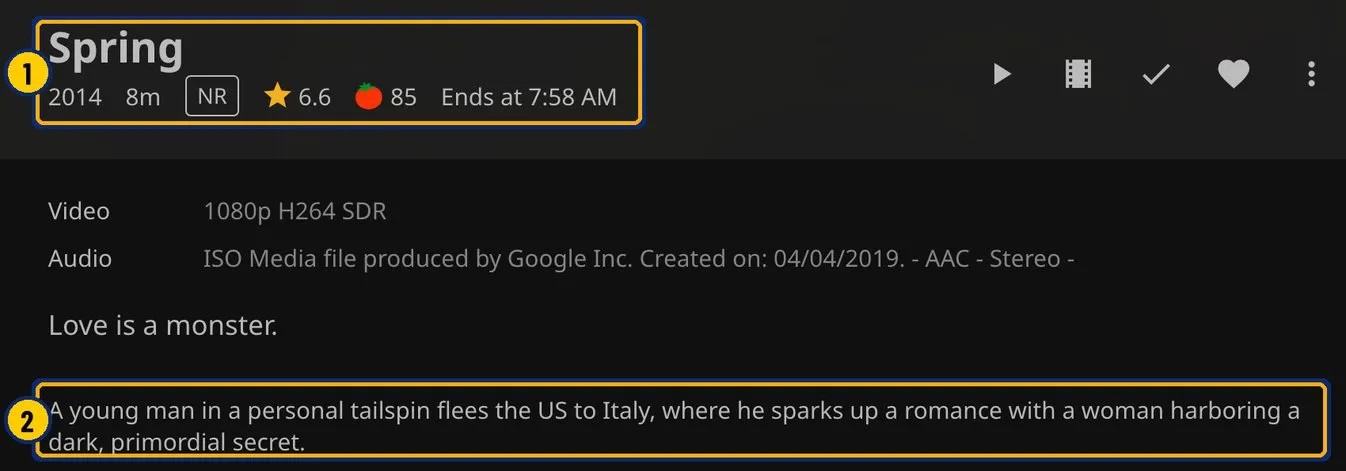
- Jellyfin matched a 2014 feature film called Spring. The year, rating and description belong to that film; the running time still comes from your file.
- The description is for a different film.
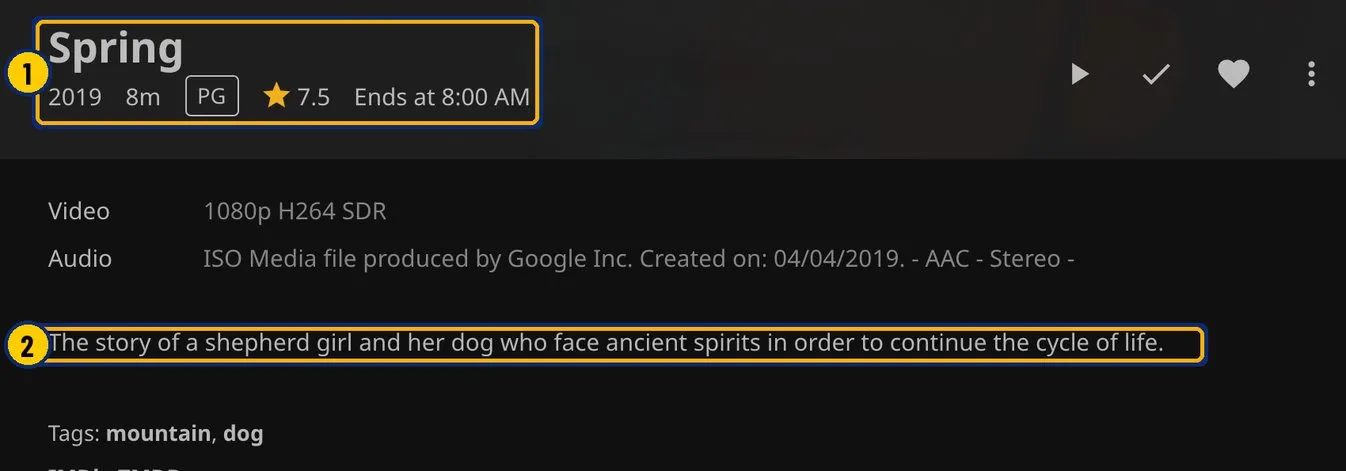
- This is the right film, Blender’s Spring from 2019.
- The description now fits.
Fix it
- Rename the film’s folder and its file to the title and the year the film came out, such as Spring (2019)\Spring (2019).mp4.
- Rescan the library.
- If the name is right and the match is still wrong, open the film’s menu, choose Identify and search for the right film. In Plex this is called Fix Match.
Library Check lists every film without a year and suggests a clean name for each.